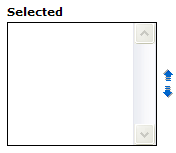
In my previous post I showed how to move options in a select list from one list to another with JavaScript. Once you've moved them, you may want to reorder them if order is important. So, now I'll show how to do that.
First, define your control in HTML to look something like what is shown to the right where you have up and down buttons which will be used to move selected elements up and down in the list.
Your HTML will look something like:
<select id="orderedList" multiple="multiple"></select>
<img src="moveup.gif" alt="Move Up" onclick="moveOptionsUp('orderedList')" />
<img src="movedown.gif" alt="Move Down" onclick="moveOptionsDown('orderedList')" />
As you can see, I've added two image which when you click on them invoke the
moveOptionsUp and moveOptionsDown function. The JavaScript for these functions looks like:
// moveOptionsUp
//
// move the selected options up one location in the select list
//
function moveOptionsUp(selectId) {
 var selectList = document.getElementById(selectId);
 var selectOptions = selectList.getElementsByTagName('option');
 for (var i = 1; i < selectOptions.length; i++) {
  var opt = selectOptions[i];
  if (opt.selected) {
   selectList.removeChild(opt);
   selectList.insertBefore(opt, selectOptions[i - 1]);
     }
    }
}
and
// moveOptionsDown
//
// move the selected options down one location in the select list
//
function moveOptionsDown(selectId) {
 var selectList = document.getElementById(selectId);
 var selectOptions = selectList.getElementsByTagName('option');
 for (var i = selectOptions.length - 2; i >= 0; i--) {
  var opt = selectOptions[i];
  if (opt.selected) {
   var nextOpt = selectOptions[i + 1];
   opt = selectList.removeChild(opt);
   nextOpt = selectList.replaceChild(opt, nextOpt);
   selectList.insertBefore(nextOpt, opt);
     }
    }
}
Unfortunately there's no
insertAfter function for a node, so the moveOptionsDown function is a little funky.

22 comments:
thanks. this saved me 30 minutes of work.
This was fantastic help. Now on to the next challenge.
Really good one. Somebody needs to take initiative for repeatative work..And that you
There is no insertAfter function but you can make the following code in moveOptionsDown function :
var nextOpt = selectOptions[i + 1]; selectList.removeChild(nextOpt );
selectList.insertBefore(nextOpt , selectOptions[i]);
Thanks so much for this code..saved a lot of time
Very simple and effective code..thanks
works like a charm and saved me a bunch of time - thanks!!!! ;)
are very cool code man
really.........
helped a lot
ha ha ha ha ha ha ha ha ha ha ha ha
***************************************8
Tks for the example, very clear and didatic!
Saved loads of dev time. Thanks. Slight bug in ie7 - the selected item won't move to the top position of the list. Solved by adding orderedList.focus(); after calling the moveup function on the button. Cool!
I had found another way of doing this but this was much simpler and meant I code cut 10 lines of PHP code out reformatting the contents of a field.
Many thanks
Very useful functions, thanks.
saved me lots of time- thanks dude
This is great and a common thing thats needed. If you are wanting to order things to get them into a database then you will need all option selected before submitting to see all values in their order. Simple bit to add but thought I would post as it may help someone. Just call this function onsubmit of the form to select all options.
function checkThem ()
{
for (i=0;1<=document.getElementById('orderedList').options.length;i++)
{
document.getElementById('orderedList').options[i].selected=true;
}
}
You can use selectedIndex to get the selected option number and instead of creating a new function to move down, why not just call the up function for the item below the one you want to move down?
Good One
This saved me some time - very much appreciated! Thanks
Nice scripts. Here are two additional functions that allow you to move the selected items to the "Top" and "Bottom".
function moveOptionsTop(selectId) {
var selectList = document.getElementById(selectId);
var selectOptions = selectList.getElementsByTagName('option');
var iMoved = 0;
for (var i = 1; i < selectOptions.length; i++) {
var opt = selectOptions[i];
if (opt.selected) {
selectList.removeChild(opt);
selectList.insertBefore(opt, selectOptions[iMoved]);
iMoved++;
}
}
}
function moveOptionsBottom(selectId) {
var selectList = document.getElementById(selectId);
var selectOptions = selectList.getElementsByTagName('option');
var iLen = selectOptions.length;
for (var i = 1; i < selectOptions.length; i++) {
moveOptionsDown(selectId);
}
}
This is great, anyone know how to do re-ordering with drag and drop?
Cool! It saved me work! Thanks.
This code is realy helpful. I used this code to arrange values in my multiselect picklist. I am saving the selected values in a single text field. But can anyone pleae suggest how can i see that the values are getting saved in the order that i set in the multipicklist using these up and down functionalities??
Thank you so much.
Post a Comment